> For the complete documentation index, see [llms.txt](https://hotro.lovinbot.ai/wiki/llms.txt). Markdown versions of documentation pages are available by appending `.md` to page URLs; this page is available as [Markdown](https://hotro.lovinbot.ai/wiki/bothive-ho-tro-or-lovinbot/tinh-nang-chinh/ai-workflow/cau-truc-ai-workflow.md).
# Cấu trúc AI Workflow
Tính năng sử dụng tại giao diện AI Store ( Áp dụng cho Admin, Member hoặc End User nâng cấp gói)
## **Cấu trúc cơ bản của AI Workflow**
Đơn giản dễ hiểu: Bạn sẽ nhập một input đầu vào cho AI Workflow thực hiện và các công việc của AI Agent bên trong.
{% hint style="info" %}
Có thể sử dụng @ để gọi các giá trị input hoặc kết quả đầu ra của từng bước
{% endhint %}
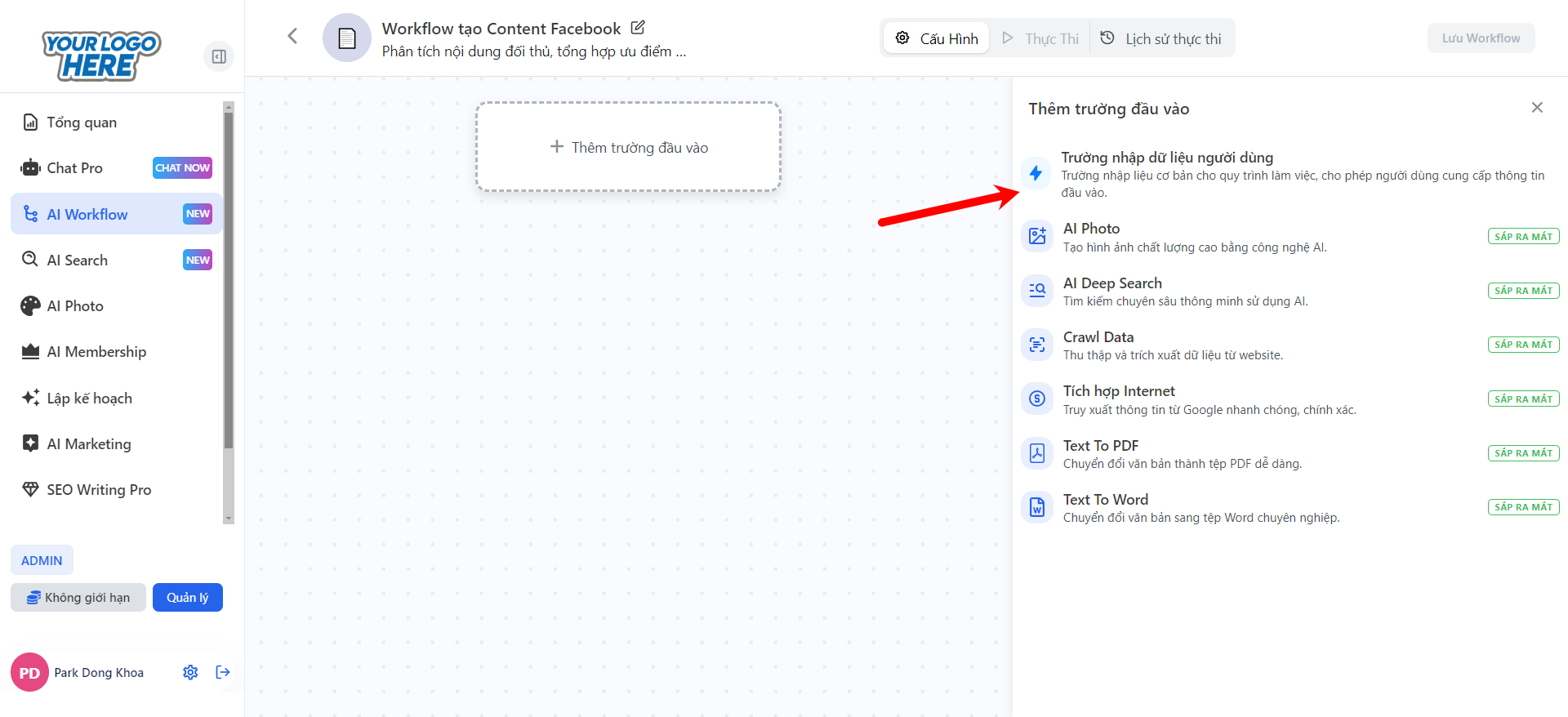
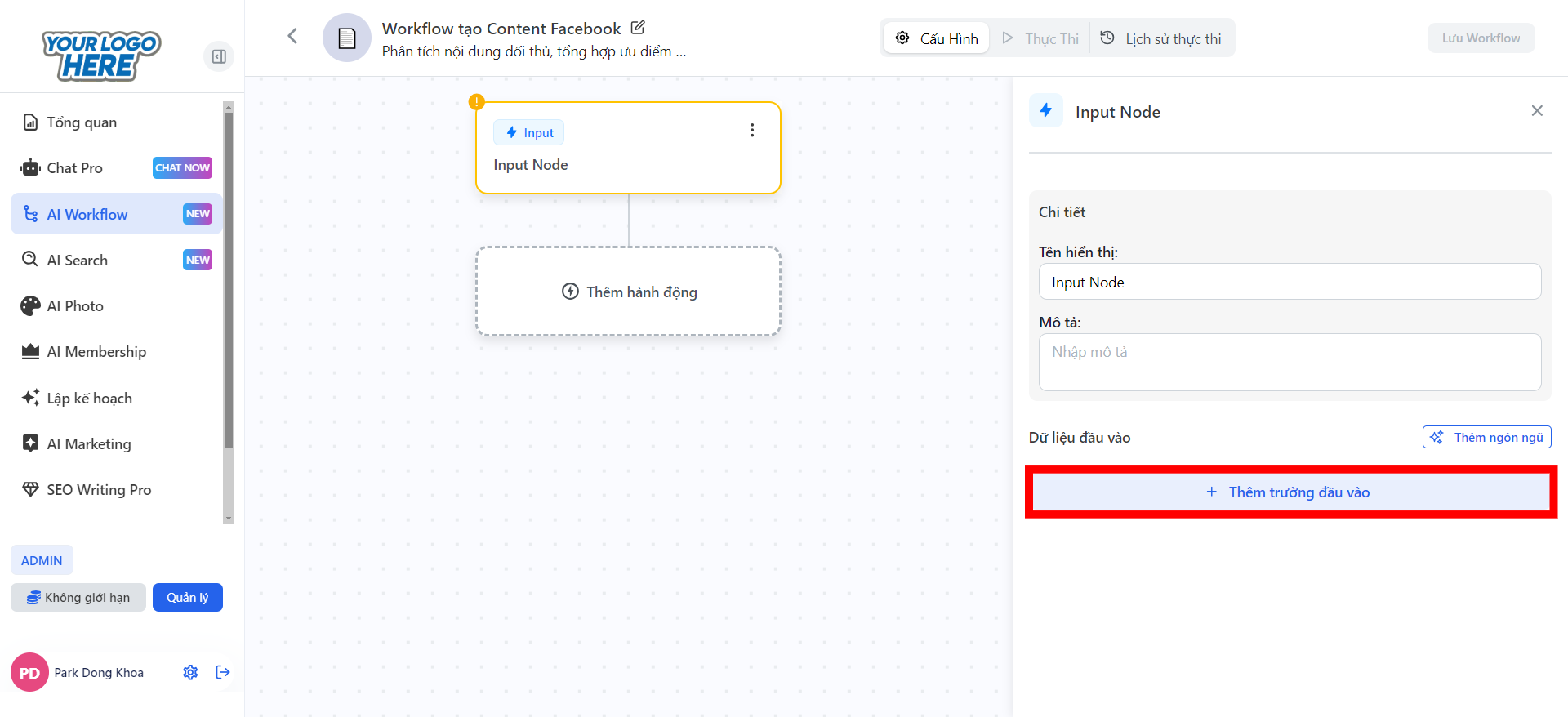
### Phần 1: **Thiết Lập Input**
* Các dạng dữ liệu đầu vào phổ biến:
* **Văn bản ngắn:** Tiêu đề bài viết, từ khóa.
* **Đoạn văn:** Mô tả chi tiết.
* **Lựa chọn:** Dropdown để chọn danh mục hoặc phong cách.
* **Số:** Giá trị số (ví dụ: ngân sách, số lượng,…).
* **Tập tin:** Cho phép tải lên file văn bản hoặc hình ảnh.
* **Hình ảnh:** Upload ảnh để AI xử lý.
* Đây là thông tin mà người dùng cần nhập để kích hoạt Workflow.
***
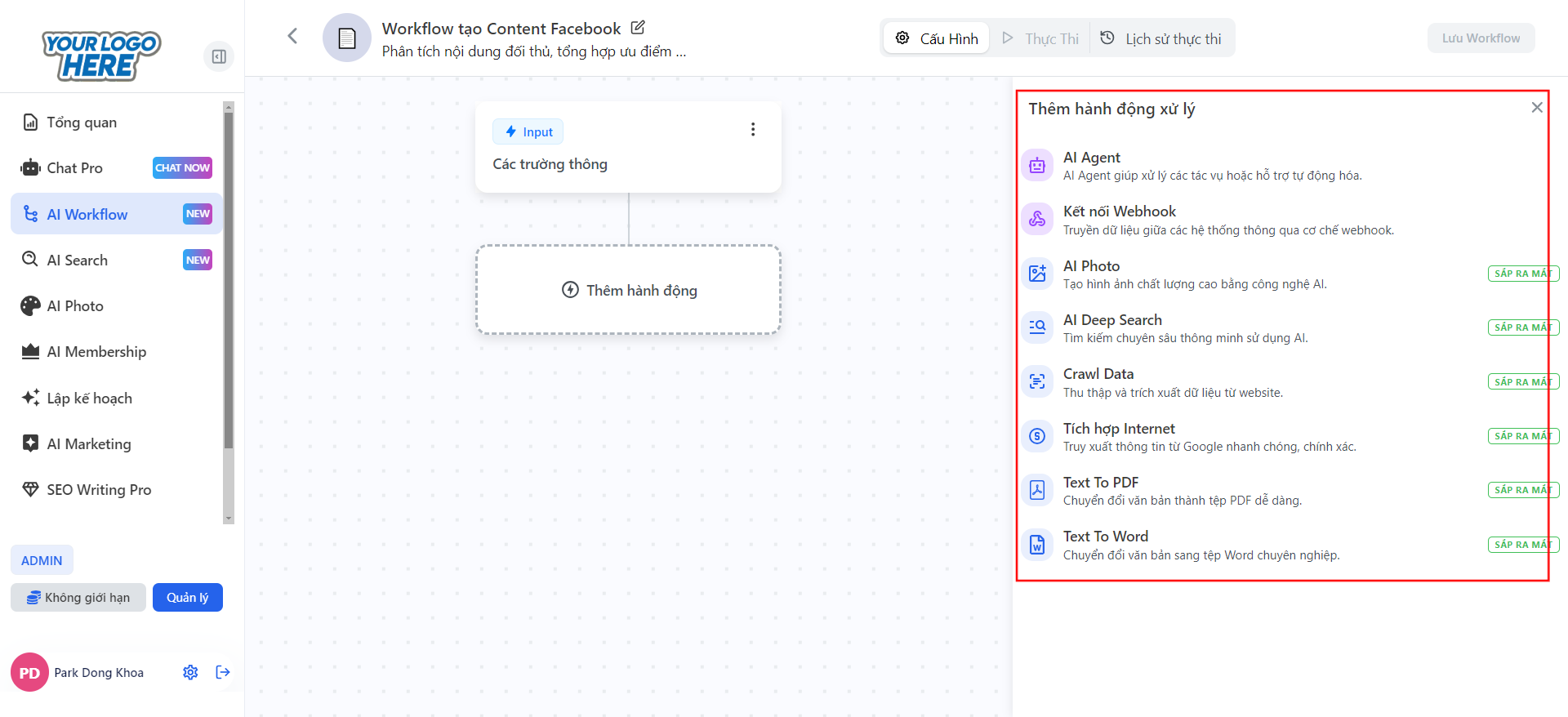
### Phần 2: **Thiết Lập Hành Động**
Tại đây, bạn sẽ thêm các **hành động xử lý** bằng cách chọn các công cụ AI có sẵn.
* Các hành động phổ biến gồm:
* **AI Agent:** Xử lý nội dung, tạo nội dung, phân tích dữ liệu.
* **Webhook:** Kết nối hệ thống bên ngoài.
* **AI Photo:** Tạo hình ảnh AI.
* **AI Deep Search (Sắp ra mắt):** Tìm kiếm thông tin thông minh.
* **Crawl Data (Sắp ra mắt):** Thu thập dữ liệu từ website.
***
### Phần 3: Lưu & Thực Thi