> For the complete documentation index, see [llms.txt](https://hotro.lovinbot.ai/wiki/llms.txt). Markdown versions of documentation pages are available by appending `.md` to page URLs; this page is available as [Markdown](https://hotro.lovinbot.ai/wiki/bothive-ho-tro-or-lovinbot/tinh-nang-chinh/ai-marketing/store.md).
# Store
Phần Cửa hàng trong Lovinbot là nơi hiển thị Chatbot AI lên giao diện cửa hàng của bạn theo domain hoặc subdomain mà bạn đã lựa chọn trong phần cài đặt. Điều này cho phép khách hàng dễ dàng tương tác
## Đăng Tải (Publish) Lên AI Store
### Bước 1: Lựa Chọn Trạng Thái
* Sau khi hoàn thành việc thiết lập ứng dụng AI, bạn cần chọn trạng thái để đăng tải lên AI Store.
* Chọn **"Đã kích hoạt"** để kích hoạt ứng dụng và cho phép nó hoạt động trên AI Store.
### Bước 2: Tùy Chỉnh Danh Mục Cho Ứng Dụng
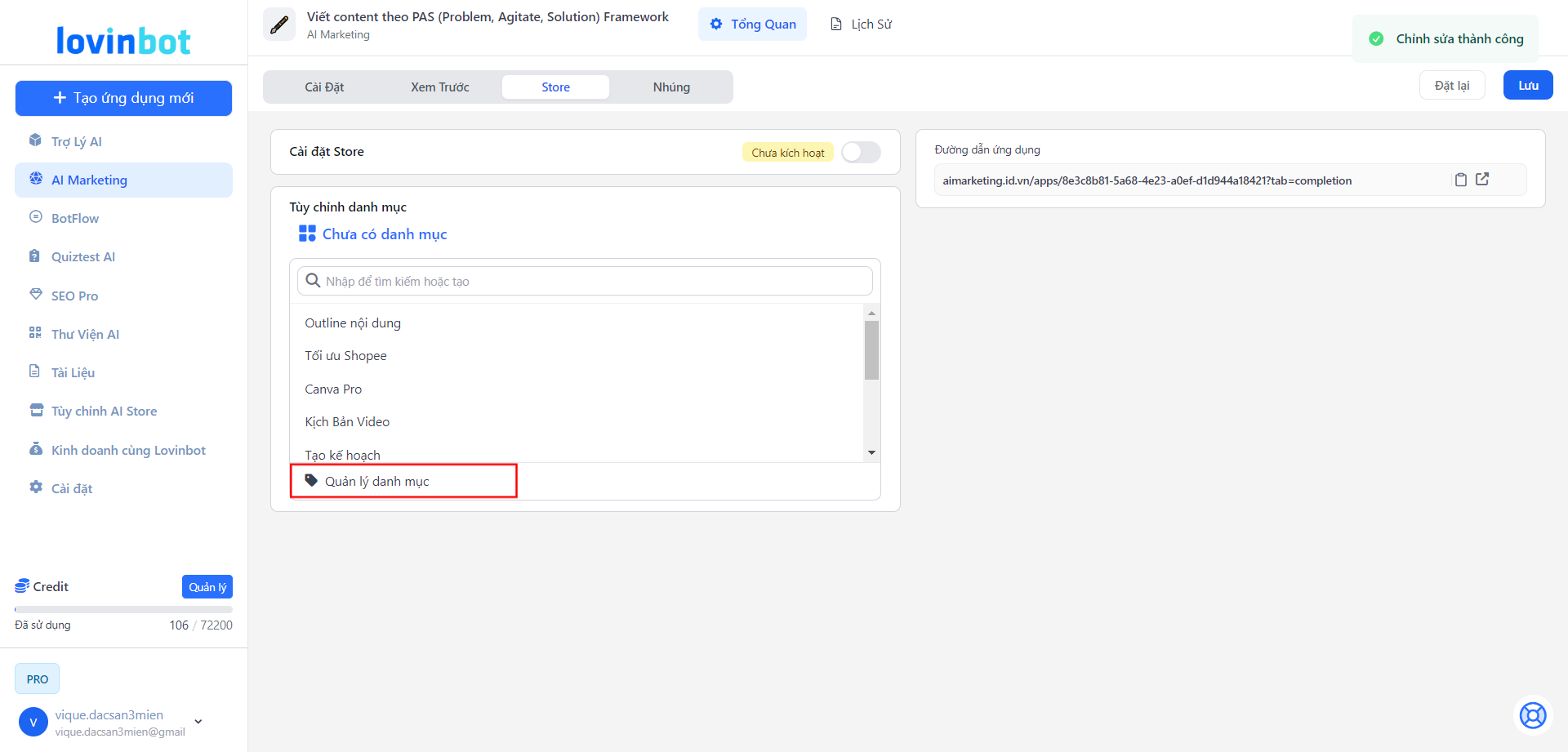
* Quản Lý Danh Mục: Để tùy chỉnh hoặc tạo danh mục mới cho ứng dụng, điều hướng đến phần Quản lý danh mục.
Tại đây, bạn có thể:
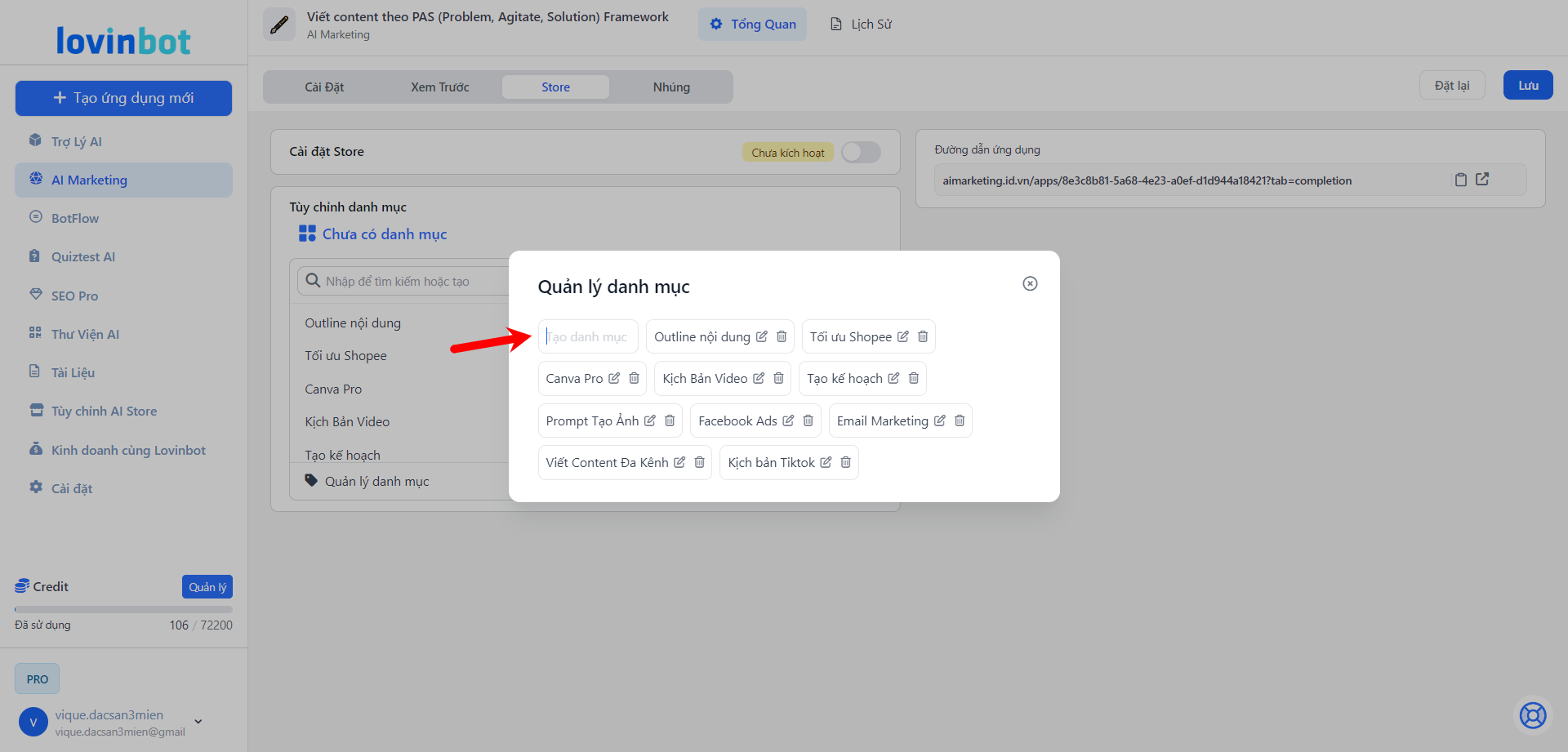
* **Tạo mới danh mục** nếu bạn muốn phân loại ứng dụng theo danh mục riêng biệt. Nhấn chọn **Quản lý danh mục**
Chọn Quản lý danh mục
Tạo tên danh mục mới và lưu lại
* Chọn danh mục có sẵn để ứng dụng của bạn thuộc về danh mục phù hợp.