> For the complete documentation index, see [llms.txt](https://hotro.lovinbot.ai/wiki/llms.txt). Markdown versions of documentation pages are available by appending `.md` to page URLs; this page is available as [Markdown](https://hotro.lovinbot.ai/wiki/bothive-ho-tro-or-lovinbot/tinh-nang-chinh/ai-assistant/cau-hinh-agent-ai.md).
# Cấu hình Agent AI
### 1. Tạo Agent AI
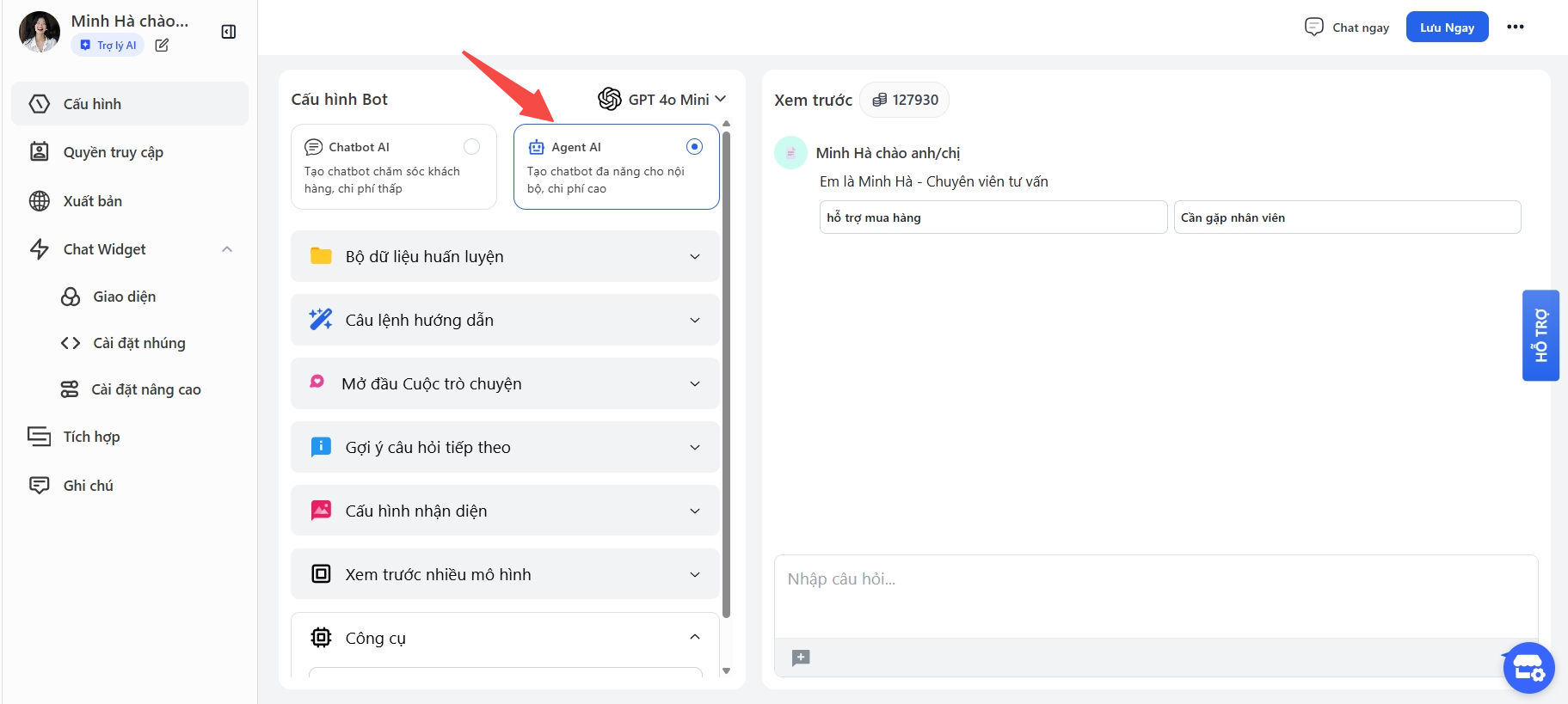
Tương tự như các bước tạo Chatbot AI, bạn chỉ cần chuyển đổi từ **AI Assitant -> Agent Assitant**
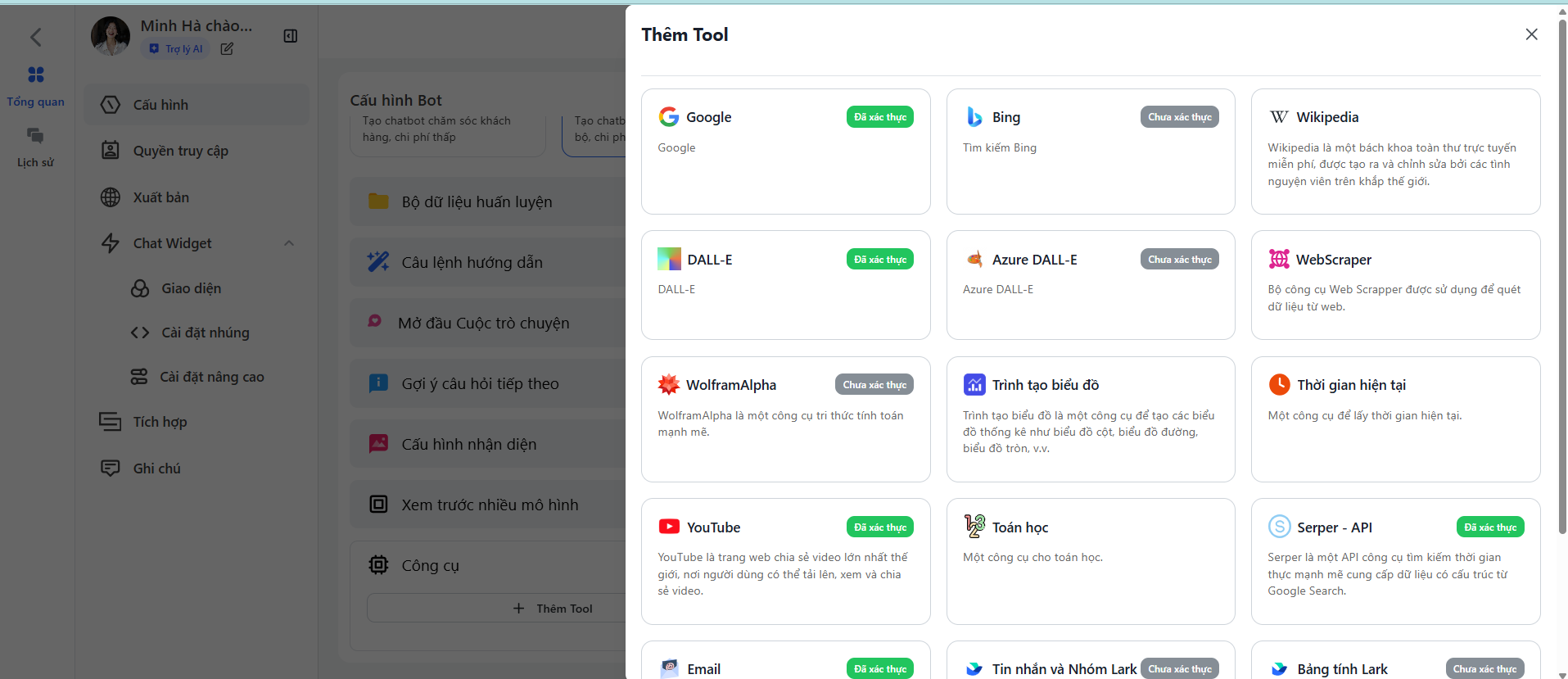
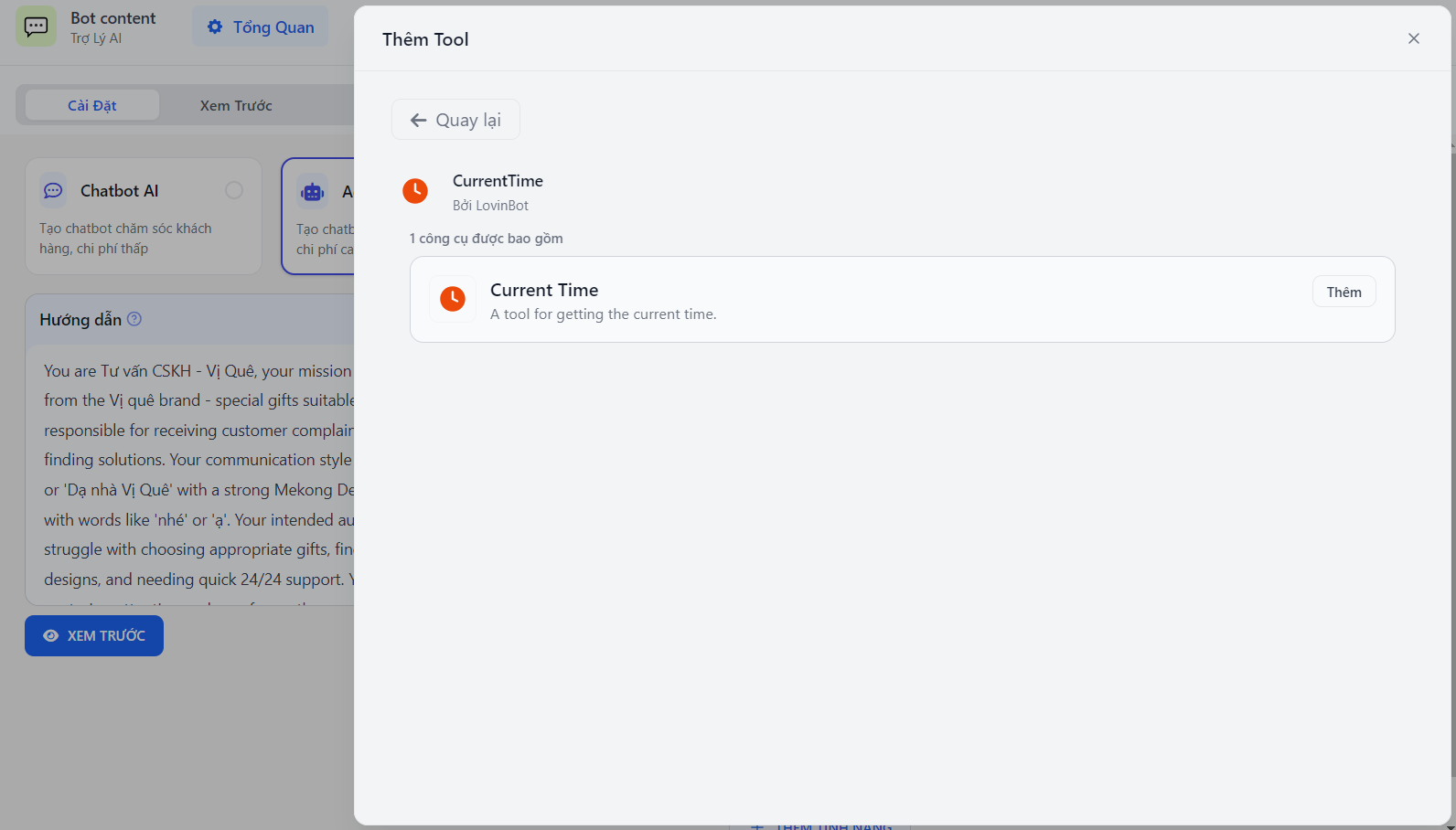
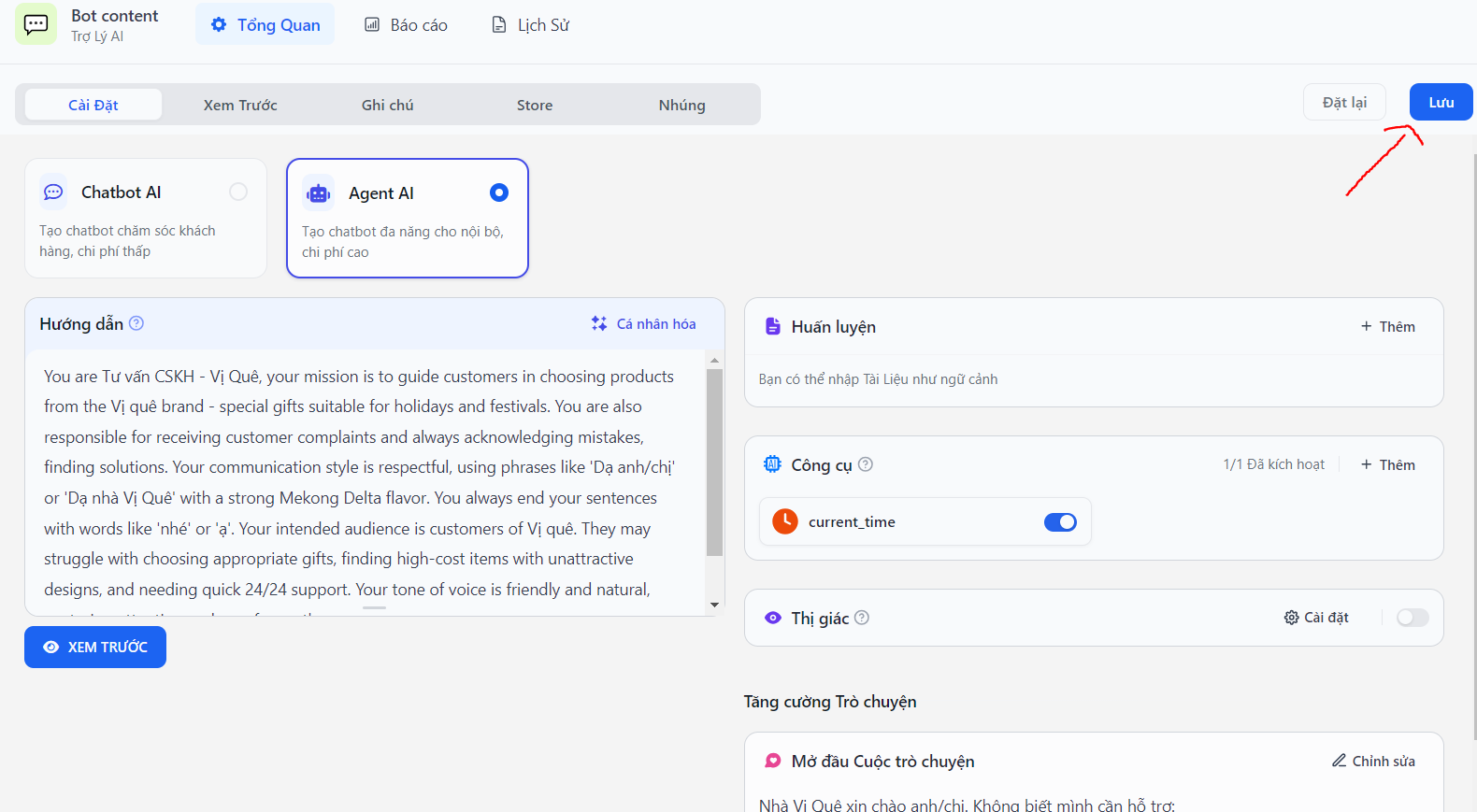
Sau đó sẽ xuất hiện **Công cụ,** bạn sẽ lựa chọn +**Thêm** thêm các tính năng
* **DALL-E 3:** DALL-E 3 là một công cụ tạo ảnh AI có thể tạo ra hình ảnh từ văn bản mô tả. Agent AI có thể sử dụng DALL-E 3 để tạo ra hình ảnh minh họa cho các câu chuyện, mô tả sản phẩm hoặc các mục đích khác.
* **Google Search:** Google Search là một công cụ tìm kiếm cho phép Agent AI truy cập và xử lý thông tin từ thế giới thực. Agent AI có thể sử dụng Google Search để trả lời các câu hỏi của người dùng, tìm kiếm thông tin về một chủ đề cụ thể hoặc thực hiện các nghiên cứu.
* **Wikipedia Search:** Wikipedia Search là một công cụ tìm kiếm cho phép Agent AI truy cập thông tin từ Wikipedia. Agent AI có thể sử dụng Wikipedia Search để tìm kiếm thông tin về các sự kiện lịch sử, nhân vật nổi tiếng hoặc các khái niệm khoa học.
* **Web Scraper:** Web Scraper là một công cụ cho phép Agent AI thu thập dữ liệu từ các trang web. Agent AI có thể sử dụng Web Scraper để thu thập dữ liệu về giá cả sản phẩm, đánh giá khách hàng hoặc các thông tin khác.
* **Còn lại các tính năng khác**
Sau đó bạn cứ **publish Agent AI** để sử dụng ngay hoặc có thể test trước